Search



WORLDWIDE SHIPPING
fast, flexible, secure options

ONLINE SUPPORT 24 / 7
anytime, anywhere help

MONEY BACK GUARANTEE
shop with confidence

WIDE SELECTION
every day low prices
Cell Phones, Tablet PCs & Smartwear
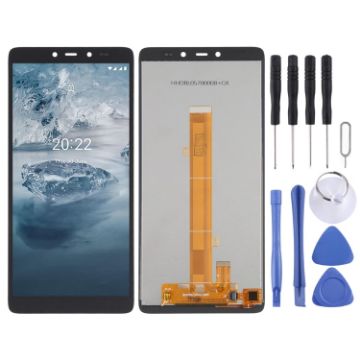
TFT LCD Screen For Nokia C2 2nd Edition with Digitizer Full Assembly
- Before Installation Notes
- Tips 1: Test before installation
- When testing, do not remove any protective film or tags. Please pay attention to the problem of static electricity.
- Before attempting any repair, be sure to ground yourself is an ESD (electro static discharge) strap. This will prevent static electricity from damaging the electronic components within the phone.
- Ensure you wear eye protection and use caution not to cut your finger with the glass splinters.
- Tips 2: Simulates testing
- Screen replacement is very fragile product. We strongly suggest test before installation. Please simulates testing, which means mobile phone apart, (motherboard + LCD or screen) connected audio cable and new replacement, power on, test finished. If test OK, please install it. If it can not show, please contact us at the very first time. And please do not force it to be installed in mobile phone. We will not be responsible once the screen is installed.
- Tips 3: Do not over-bend cable
$13.98 $17.48
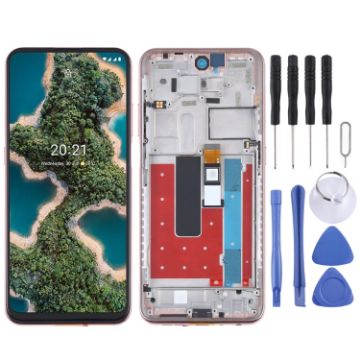
TFT LCD Screen for Nokia X20 TA-1341 TA-1344 Digitizer Full Assembly with Frame (Gold)
- Before Installation Notes
- Tips 1: Test before installation
- When testing, do not remove any protective film or tags. Please pay attention to the problem of static electricity.
- Before attempting any repair, be sure to ground yourself is an ESD (electro static discharge) strap. This will prevent static electricity from damaging the electronic components within the phone.
- Ensure you wear eye protection and use caution not to cut your finger with the glass splinters.
- Tips 2: Simulates testing
- Screen replacement is very fragile product. We strongly suggest test before installation. Please simulates testing, which means mobile phone apart, (motherboard + LCD or screen) connected audio cable and new replacement, power on, test finished. If test OK, please install it. If it can not show, please contact us at the very first time. And please do not force it to be installed in mobile phone. We will not be responsible once the screen is installed.
- Tips 3: Do not over-bend cable
$19.28 $23.14
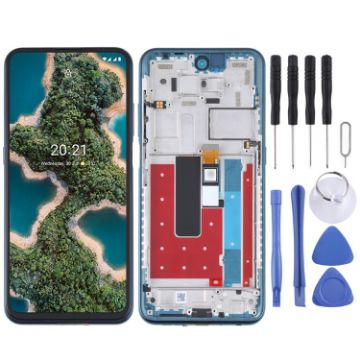
TFT LCD Screen for Nokia X20 TA-1341 TA-1344 Digitizer Full Assembly with Frame (Blue)
- Before Installation Notes
- Tips 1: Test before installation
- When testing, do not remove any protective film or tags. Please pay attention to the problem of static electricity.
- Before attempting any repair, be sure to ground yourself is an ESD (electro static discharge) strap. This will prevent static electricity from damaging the electronic components within the phone.
- Ensure you wear eye protection and use caution not to cut your finger with the glass splinters.
- Tips 2: Simulates testing
- Screen replacement is very fragile product. We strongly suggest test before installation. Please simulates testing, which means mobile phone apart, (motherboard + LCD or screen) connected audio cable and new replacement, power on, test finished. If test OK, please install it. If it can not show, please contact us at the very first time. And please do not force it to be installed in mobile phone. We will not be responsible once the screen is installed.
- Tips 3: Do not over-bend cable
$19.28 $22.36
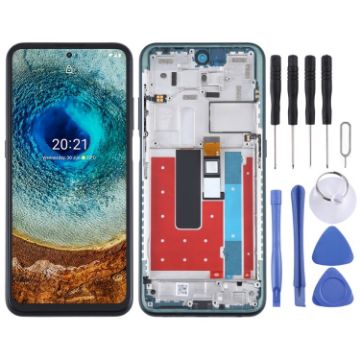
TFT LCD Screen for Nokia X10 TA-1350 TA-1332 Digitizer Full Assembly with Frame (Green)
- Before Installation Notes
- Tips 1: Test before installation
- When testing, do not remove any protective film or tags. Please pay attention to the problem of static electricity.
- Before attempting any repair, be sure to ground yourself is an ESD (electro static discharge) strap. This will prevent static electricity from damaging the electronic components within the phone.
- Ensure you wear eye protection and use caution not to cut your finger with the glass splinters.
- Tips 2: Simulates testing
- Screen replacement is very fragile product. We strongly suggest test before installation. Please simulates testing, which means mobile phone apart, (motherboard + LCD or screen) connected audio cable and new replacement, power on, test finished. If test OK, please install it. If it can not show, please contact us at the very first time. And please do not force it to be installed in mobile phone. We will not be responsible once the screen is installed.
- Tips 3: Do not over-bend cable
$19.28 $22.36
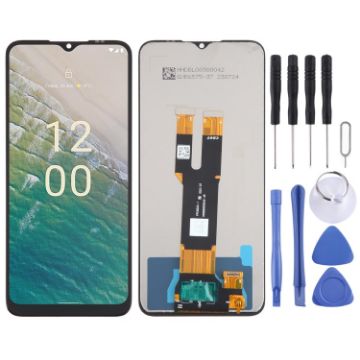
For Nokia C32 OEM LCD Screen with Digitizer Full Assembly
- Replacement LCD screen + touch screen digitizer assembly for Nokia C32
- Replace your broken or unusable item with a new one
- Make your device look more refreshing than ever
- Completely fit and work
- Each item has been checked and in good condition before shipping
- Professional installation is highly recommended. We will not be responsible once the screen is installed
- Before Installation Notes
- Tips 1: Test before installation
$13.16 $15.53
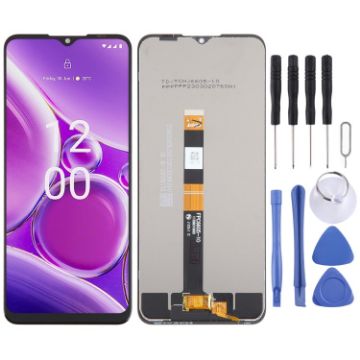
For Nokia G42 OEM LCD Screen with Digitizer Full Assembly
- Replacement LCD screen + touch screen digitizer assembly for Nokia G42
- Replace your broken or unusable item with a new one
- Make your device look more refreshing than ever
- Completely fit and work
- Each item has been checked and in good condition before shipping
- Professional installation is highly recommended. We will not be responsible once the screen is installed
- Before Installation Notes
- Tips 1: Test before installation
$12.56 $15.45
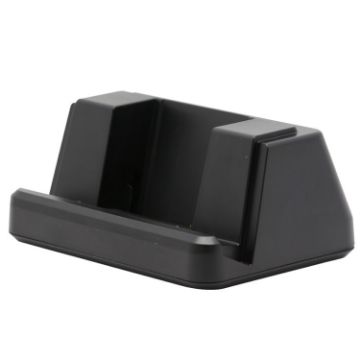
CENAVA Wireless Charging Dock for CENAVA S10 Pro Tablet
- It makes it easy to keep your tablet charged and ready to go. Simply place the tablet in the charging cradle to effortlessly charge the device, without the need to plug in a pesky USB cable.
- Smart wireless charging is safe and convenient. You dont have to worry about aging of the charging cable. It improves charging efficiency, avoids getting hot, and enhances user experience.
- Charge your devices quickly without damaging the tablet.
- Equipped with indicator light to know the charging status in real time.
- Interface: USBx4 + power cord interface
- Dimensions: 150 x100 x 60mm
- Weight: 215g
$66.18 $82.72
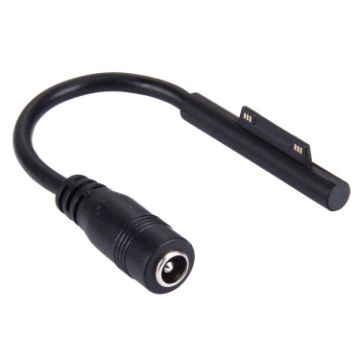
6 Pin Magnetic to 5.5x2.5mm Female Interfaces Power Adapter Charger Cable for Microsoft Surface Pro 3
- Small size, light weight and easy to carry.
- For Microsoft Surface Pro 3.
- Interface: 6 Pin magnetic to 5.5x2.5mm female.
- Material: plastic.
- Weight: about 6g.
$8.19 $9.83
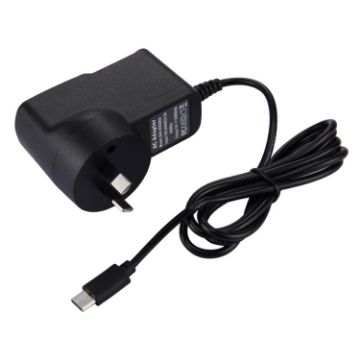
5V 2A USB-C/Type-C Port Charger for Macbook, Google, LG, Huawei, Nokia, Microsoft, Xiaomi, OnePlus, Letv, Meizu, other Smartphones or Tablets
- Input: AC 100-240V, 50/60Hz
- Output: DC 5V, 2A
- Comes with data cable, easy to use
- Compatible with a variety of Type-C port phones/tablets
- Easy to carry
$6.00 $7.38
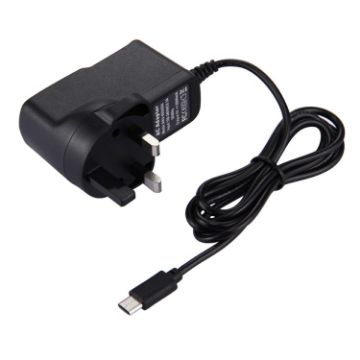
5V 2A USB-C/Type-C Port Charger for Macbook, Google, LG, Huawei, Nokia, Microsoft, Xiaomi, OnePlus, Letv, Meizu, other Smartphones or Tablets, UK Plug
- Input: AC 100-240V, 50/60Hz
- Output: DC 5V, 2A
- Comes with data cable, easy to use
- Compatible with a variety of Type-C port phones/tablets
- Easy to carry
$6.60 $8.05
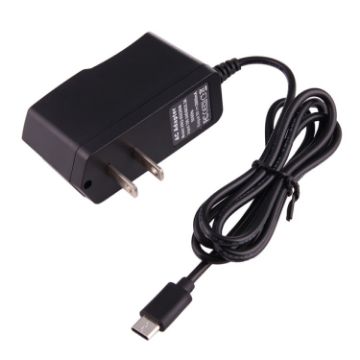
5V 2A USB-C/Type-C Port Charger for Macbook, Google, LG, Huawei, Nokia, Microsoft, Xiaomi, OnePlus, Letv, Meizu, other smartphones or Tablets, US Plug
- Input: AC 100-240V 50/60Hz
- Output: DC 5V, 2A
- Suitable for charging smartphones or tablets with Type-C interface
- Ideal for home, office and travel
$6.00 $7.14
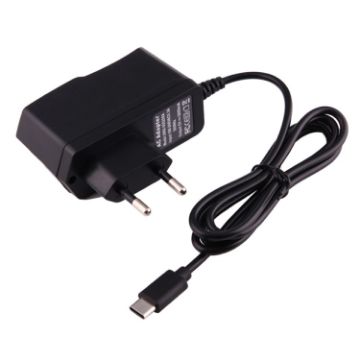
5V 2A USB-C/Type-C Port Charger for Macbook, Google, LG, Huawei, Nokia, Microsoft, Xiaomi, OnePlus, Letv, Meizu, other Smartphones or Tablets, EU Plug
- Input: AC 100-240V, 50/60Hz
- Output: DC 5V, 2A
- Comes with data cable, easy to use
- Compatible with a variety of Type-C port phones/tablets
- Easy to carry
$6.60 $7.85

NEED HELP?
Payment options
