Search



WORLDWIDE SHIPPING
fast, flexible, secure options

ONLINE SUPPORT 24 / 7
anytime, anywhere help

MONEY BACK GUARANTEE
shop with confidence

WIDE SELECTION
every day low prices
Electronics
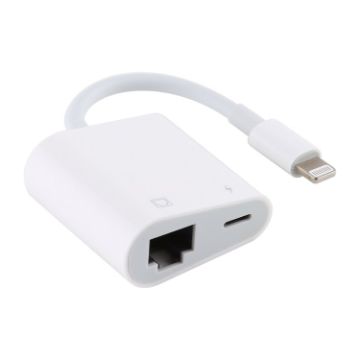
NK-1035 8 Pin to RJ45 Ethernet LAN Network Function Adapter
- Just plug and play, easy to use
- Direct connection is more stable
- Ports: Ethernet, 8 pin
- Material: ABS+TPE+Metal
- Size: 38x38x17mm
- Cable total length: about 9cm
$11.00 $13.42
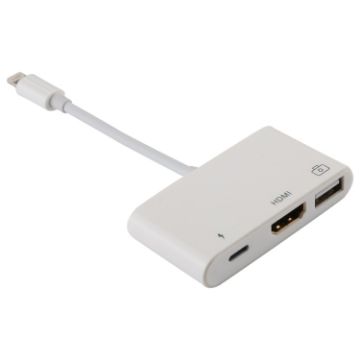
3 in 1 1080P HDMI + USB + 8 Pin Charging Female Ports to 8 Pin Male OTG Digital Video Converter Cable
- The resolution reaches 1080P
- Support importing pictures and videos from digital camera directly into mobile phone
- Support USB interface to connect devices, such as: HUB, Ethernet adapter, etc.
- 3 interfaces can be used simultaneously
- For iPhone and iPad
$22.66 $26.06
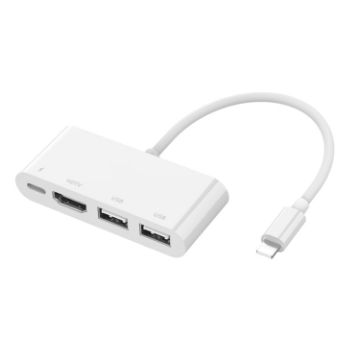
75216 4 in 1 8 Pin to HDMI + 8 Pin Charging + 2 USB Ports HD Video Converter
- Large screen HD conversion, plug and play
- 8 Pin female charging port, convenient for charging
- 2 USB ports can be connected to keyboard/mouse/U disk, etc.
- HDMI can be connected to the display terminal, support 2K high-definition projection screen, no freeze, no flicker
- Suitable for mobile phones/tablets with 8 Pin interface
- Material: ABS
- Power supply: 5V/1.2A
- Resolution: 1920x1080P
$19.67 $24.19
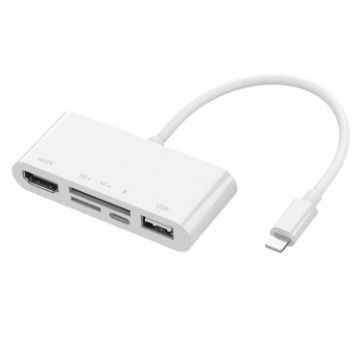
75215 5 in 1 8 Pin to HDMI + SD Card Slot + TF Card Slot + USB + 8 Pin Charging Port HD Video Converter
- Large screen HD conversion, plug and play
- 8 Pin female charging port, convenient for charging
- The USB interface can be connected to a keyboard/mouse/U disk, etc.
- HDMI can be connected to the display terminal, supports 2K high-definition projection, no freeze, no flicker
- SD/TF dual card slot, can read data
- Suitable for mobile phones/tablets with 8 Pin interface
- Material: ABS
- Power supply: 5V/1.2A
$19.67 $24.39
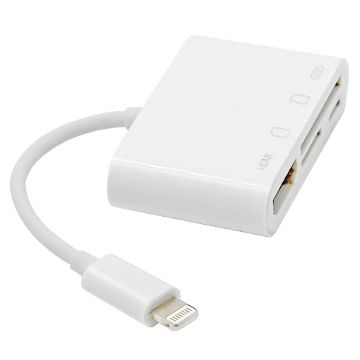
NK-103C 4 In 1 8 Pin to HDMI Multi-function Mobile Phone Converter Adapter (White)
- Plug and play, easy to use
- The video in the device can be projected to the TV for easy viewing
- Mobile phone/tablet projector, office presentation, training and teaching are more convenient
- Small size, easy to carry
- Size: 155x51x12mm
$21.70 $26.69
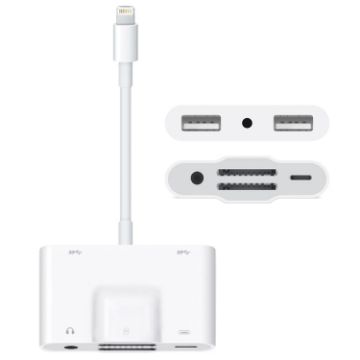
NK-1042 6 in 1 8 Pin Male to Dual USB + Dual SD Card + 3.5mm Audio Interface + 8 Pin Charging Interface Female Port Camera Adapter
- Compatible with iPad / iPhone.
- Solve the problem that some Apple devices cannot be charged when using external devices.
- You can use a data cable and converter to directly import photos from a digital camera to the device.
- Support for iOS 13 system or above.
- USB female connector supports external devices, such as HUB, mouse, keyboard, camera, U disk, etc.
$14.88 $18.60
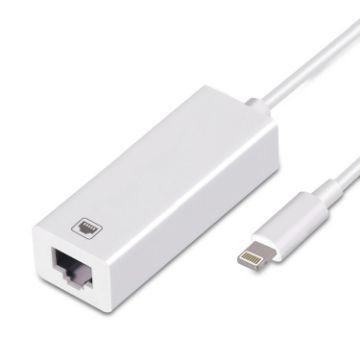
NK-107 A1 Micro Ethernet Network Card Adapter 8 Pin Charging Female Ports to 8 Pin Male
- Compact and does not take up space
- Plug the Lightning Ethernet adapter into your iPhone/iPad device;
- Take iPhone as an example, open the settings, the interface will increase the Ethernet icon;
- Insert the network cable connected to the router, click "Ethernet", the IP address 192.168.1.108 appears, and the device can be used normally on the Internet
- Good quality and durable
$10.56 $12.78
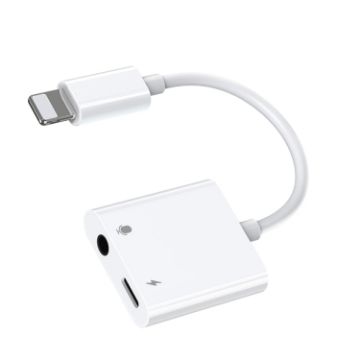
JOYROOM S-Y105 2A 18W 8 Pin to 8 Pin + 3.5mm Audio Converter (White)
- Material: ABS+TPE
- Suitable for devices with 8 Pin interface
- Compatible with all 3.5mm port headsets, support voice calls, high sound fidelity, clear voice without delay, no interference, and stable transmission
- Charging while listening, the sound is clear and the music is pure
- Support charging/listening to music/calling/game voice/wire control/USB-KEY
- Small size and easy to carry
- Size: 112x30x6mm
$20.99 $25.61
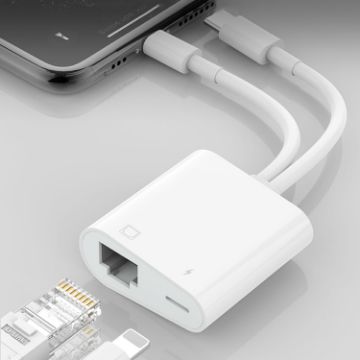
NK-1035 Pro 2 in 1 USB-C/Type-C + 8 Pin Male to RJ45 + 8 Pin Charging Female Interface Adapter
- Plug and Play
- Through the RJ45 interface, you can connect the 8 Pin, Type-C interface mobile phone to the Ethernet, so as to realize the continuous flow of the Internet.
- The 8 Pin female interface can be used to charge devices with 8 Pin interface
- Solve the problem that some 8 Pin interface devices cannot be charged at the same time when using OTG accessories
- Small size and easy to carry
- Product specifications:
- Size: 14 x 3 x 1.7cm
- Weight: 15g
$15.87 $18.89
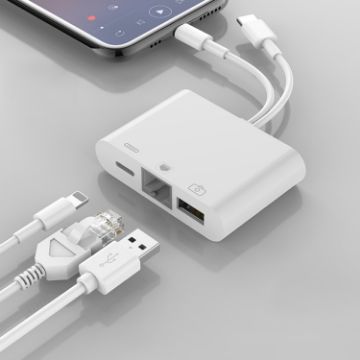
NK-107 Pro 3 in 1 USB-C/Type-C + 8 Pin Male to USB + RJ45 + 8 Pin Charging Female Interface Adapter
- Through the RJ45 interface, you can connect the 8 Pin, Type-C interface mobile phone to the Ethernet, so as to realize the continuous flow of the Internet at a high speed
- External devices such as U disk, mouse, keyboard, earphone and so on can be connected via USB female head
- The 8 Pin female interface can be used to charge devices with 8 Pin interface
- IOS 13.0 and above system devices support two-way transmission of photos, videos, Excel, Word, PDF, etc.
- Small size and easy to carry
- Product specifications:
- Size: 17 x 8 x 2cm
- Weight: 15g
$12.10 $14.28
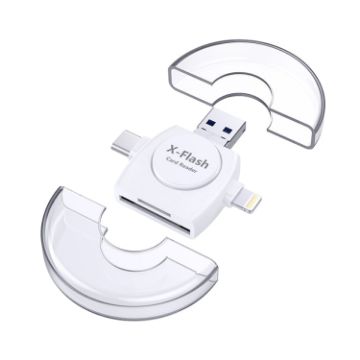
X-Flash R01 3 in 1 8 Pin + USB-C/Type-C + Micro USB Interface SD/TF Card Reader (White)
- Suitable for SD card / TF card (SD card/TF card needs to be purchased separately)
- Unlimited memory expansion, no need to worry about insufficient memory for taking pictures and video recording
- Almost compatible with all file formats
- Small and portable
- Diameter: 54mm; Thickness: 12mm
$12.84 $14.77
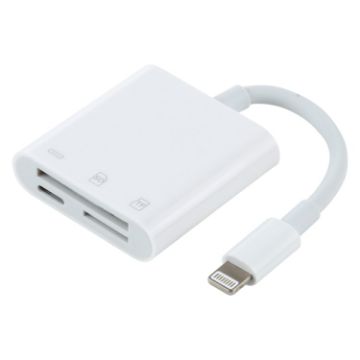
NK-101Y Pro 8 Pin to 8 Pin + SD + TF Port 3 in 1 Camera Reader Adapter
- Help to read SD / TF card instantly without APP
- 8 pin port: 12M/S-16M/S
- TF/SD port: support 1TB memory card max
- 8 pin port charging current: 500mA-2100mA
- Net weight: 14g
$11.98 $14.14

NEED HELP?
Payment options
