Search



WORLDWIDE SHIPPING
fast, flexible, secure options

ONLINE SUPPORT 24 / 7
anytime, anywhere help

MONEY BACK GUARANTEE
shop with confidence

WIDE SELECTION
every day low prices
Electronics
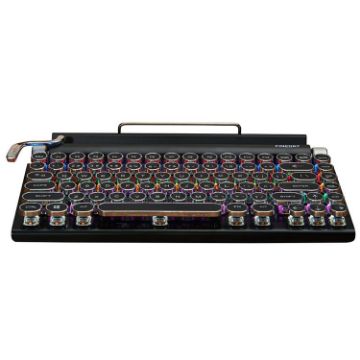
TW1867 Round Retro Punk Keycap Mechanical Wireless Bluetooth Keyboard (Black)
- Wired connection to computer, wireless Bluetooth connection to mobile phones, tablets, notebooks, supports simultaneous connection of three Bluetooth devices
- The full keyboard has no punching mechanical green axis, with a classic appearance and classic quality at the same time
- Colorful/white backlight effect to meet the needs of game scenes
- With waterproof function
- Comes with a card slot for mobile phones and tablets, making typing more comfortable
- There are knobs on the left and right sides of the keyboard, the left side adjusts the backlight brightness, and the right side scrolls the page
- Ergonomic design, comfortable operation
- Material: Metal
$66.20
$80.76
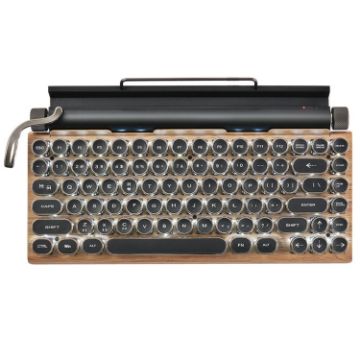
TW1867 Round Retro Punk Keycap Mechanical Wireless Bluetooth Keyboard (Wood)
- Wired connection to computer, wireless Bluetooth connection to mobile phones, tablets, notebooks, supports simultaneous connection of three Bluetooth devices
- The full keyboard has no punching mechanical green axis, with a classic appearance and classic quality at the same time
- Colorful/white backlight effect to meet the needs of game scenes
- With waterproof function
- Comes with a card slot for mobile phones and tablets, making typing more comfortable
- There are knobs on the left and right sides of the keyboard, the left side adjusts the backlight brightness, and the right side scrolls the page
- Ergonomic design, comfortable operation
- Material: Metal
$66.36
$78.97
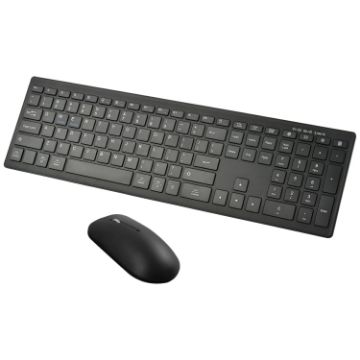
169 2.4Ghz + Bluetooth Dual Mode Wireless Keyboard + Mouse Kit, Compatible with iSO & Android & Windows (Black)
- Working voltage: 1.8-3.0V
- Working current: <=3.0mA
- Low battery alarm: 2V
- Sleep current: <0.2mA
- Standby time: >100 days
- Battery capacity: 2 x AAA batteries (not included)
- Working time: 100 hours
- Key life: 3 million taps
$22.94
$26.38
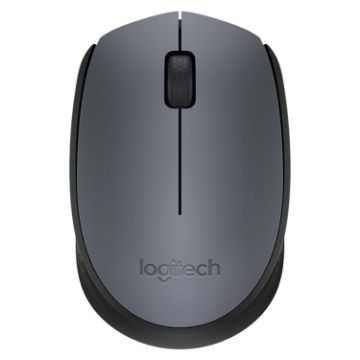
Logitech M170 1000DPI USB Wireless Mouse with 2.4G Receiver (Grey)
- The plug-and-play USB interface is adopted, and the USB interface is small in appearance, which is easy to follow the movement of the notebook computer, thereby reducing the possibility of loss.
- Easy to set up-just plug the USB interface into the USB slot to use. No need to pair or install software.
- 2.4Ghz wireless technology, wireless coverage to 10 meters.
- Sensor resolution: 1000 DPI
- Number of keys: 3
- Power supply: 1 AA battery (not included in shipment)
- Wireless operating distance: about 10 meters
- Wireless technology: 2.4GHz
$14.70
$17.05
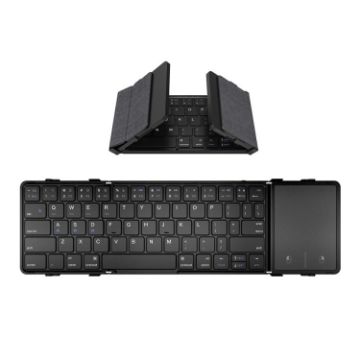
B1053 Leather Portable Tri-Fold Bluetooth Keyboard
- Bluetooth 5.1 master
- Oversized touchpad with left and right buttons
- It can connect 3 bluetooth devices at the same time, and switch between 3 devices at will
- 1:1 restore the size and layout of the keycaps of the notebook computer, comfortable scissor foot keys
- Built-in 210mAh high-capacity rechargeable lithium battery
- Compatible with Windows, Android, iOS and Mac (except Mac OS desktop and lock screen keys), fully meet your input requirements
- With fabric texture, PU leather back cover
- Foldable design, mini portable
$34.25
$42.81
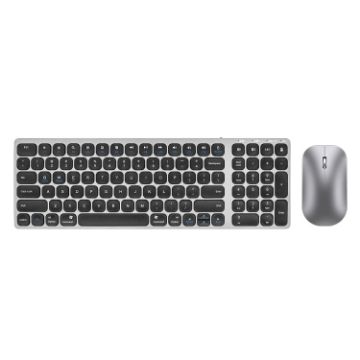
K4500 Wireless Bluetooth Keyboard + Three-modes Charging Silent Mouse Set
- Keyboard and mouse share one receiver, only one USB interface is required
- Connection method: Bluetooth 5.0+Bluetooth 4.0+2.4 wireless
- Keyboard keys: 99 keys; Mouse keys: 3 keys
- Working distance: 10 meters
- The keyboard adopts imitation metal panel design
- Multi-system compatibility, can support Windows/Mac OS/iOS and Android
- Mouse size: 11x6.1x3.2cm
- Keyboard size: 36.8x12.4x1.3cm
$29.25
$33.93
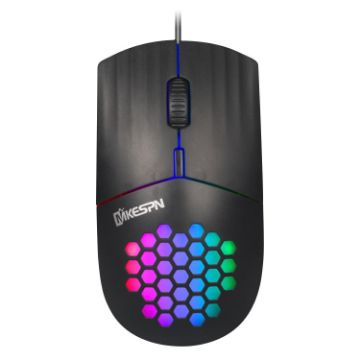
MKESPN SXS-838 Type-C Interface RGB Hollow Wired Mouse (Black)
- DPI: 1600 DPI
- Colorful and cool RGB lighting effects
- Honeycomb hollow design, light and comfortable
- Product size: 12.8x6.1x3.9cm
- Product weight: 65g
- Working method: wired
- Cable length: 1.5m
$6.99
$8.18
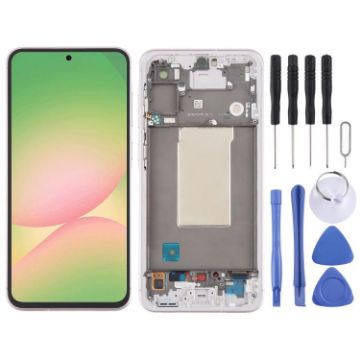
For Samsung Galaxy A56 SM-A566B Original LCD Screen Digitizer Full Assembly with Frame (Pink)
- Before Installation Notes
- Tips 1: Test before installation
- When testing, do not remove any protective film or tags. Please pay attention to the problem of static electricity.
- Before attempting any repair, be sure to ground yourself is an ESD (electro static discharge) strap. This will prevent static electricity from damaging the electronic components within the phone.
- Ensure you wear eye protection and use caution not to cut your finger with the glass splinters.
- Tips 2: Simulates testing
- Screen replacement is very fragile product. We strongly suggest test before installation. Please simulates testing, which means mobile phone apart, (motherboard + LCD or screen) connected audio cable and new replacement, power on, test finished. If test OK, please install it. If it can not show, please contact us at the very first time. And please do not force it to be installed in mobile phone. We will not be responsible once the screen is installed.
- Tips 3: Do not over-bend cable
$90.14
$110.87
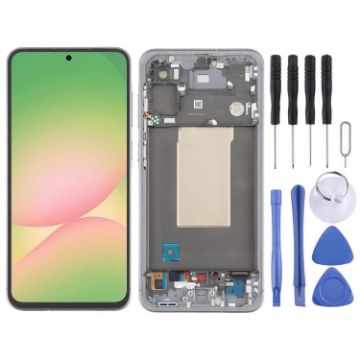
For Samsung Galaxy A56 SM-A566B Original LCD Screen Digitizer Full Assembly with Frame (Grey)
- Before Installation Notes
- Tips 1: Test before installation
- When testing, do not remove any protective film or tags. Please pay attention to the problem of static electricity.
- Before attempting any repair, be sure to ground yourself is an ESD (electro static discharge) strap. This will prevent static electricity from damaging the electronic components within the phone.
- Ensure you wear eye protection and use caution not to cut your finger with the glass splinters.
- Tips 2: Simulates testing
- Screen replacement is very fragile product. We strongly suggest test before installation. Please simulates testing, which means mobile phone apart, (motherboard + LCD or screen) connected audio cable and new replacement, power on, test finished. If test OK, please install it. If it can not show, please contact us at the very first time. And please do not force it to be installed in mobile phone. We will not be responsible once the screen is installed.
- Tips 3: Do not over-bend cable
$90.14
$111.77
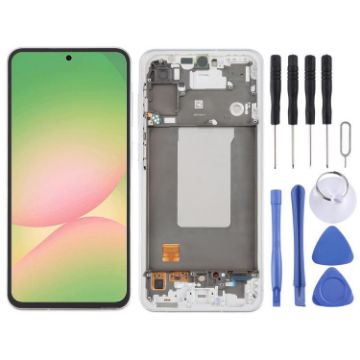
For Samsung Galaxy A56 SM-A566B Original LCD Screen Digitizer Full Assembly with Frame (Silver)
- Before Installation Notes
- Tips 1: Test before installation
- When testing, do not remove any protective film or tags. Please pay attention to the problem of static electricity.
- Before attempting any repair, be sure to ground yourself is an ESD (electro static discharge) strap. This will prevent static electricity from damaging the electronic components within the phone.
- Ensure you wear eye protection and use caution not to cut your finger with the glass splinters.
- Tips 2: Simulates testing
- Screen replacement is very fragile product. We strongly suggest test before installation. Please simulates testing, which means mobile phone apart, (motherboard + LCD or screen) connected audio cable and new replacement, power on, test finished. If test OK, please install it. If it can not show, please contact us at the very first time. And please do not force it to be installed in mobile phone. We will not be responsible once the screen is installed.
- Tips 3: Do not over-bend cable
$90.14
$108.17
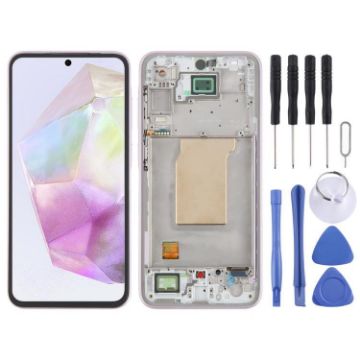
For Samsung Galaxy A35 SM-A356B Original LCD Screen Digitizer Full Assembly with Frame (Pink)
- Before Installation Notes
- Tips 1: Test before installation
- When testing, do not remove any protective film or tags. Please pay attention to the problem of static electricity.
- Before attempting any repair, be sure to ground yourself is an ESD (electro static discharge) strap. This will prevent static electricity from damaging the electronic components within the phone.
- Ensure you wear eye protection and use caution not to cut your finger with the glass splinters.
- Tips 2: Simulates testing
- Screen replacement is very fragile product. We strongly suggest test before installation. Please simulates testing, which means mobile phone apart, (motherboard + LCD or screen) connected audio cable and new replacement, power on, test finished. If test OK, please install it. If it can not show, please contact us at the very first time. And please do not force it to be installed in mobile phone. We will not be responsible once the screen is installed.
- Tips 3: Do not over-bend cable
$75.12
$87.14
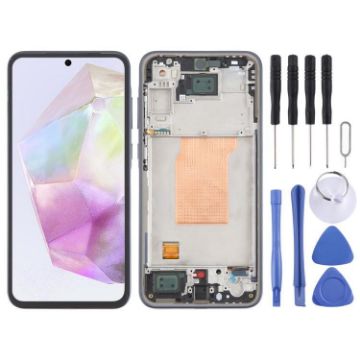
For Samsung Galaxy A35 SM-A356B Original LCD Screen Digitizer Full Assembly with Frame (Blue)
- Before Installation Notes
- Tips 1: Test before installation
- When testing, do not remove any protective film or tags. Please pay attention to the problem of static electricity.
- Before attempting any repair, be sure to ground yourself is an ESD (electro static discharge) strap. This will prevent static electricity from damaging the electronic components within the phone.
- Ensure you wear eye protection and use caution not to cut your finger with the glass splinters.
- Tips 2: Simulates testing
- Screen replacement is very fragile product. We strongly suggest test before installation. Please simulates testing, which means mobile phone apart, (motherboard + LCD or screen) connected audio cable and new replacement, power on, test finished. If test OK, please install it. If it can not show, please contact us at the very first time. And please do not force it to be installed in mobile phone. We will not be responsible once the screen is installed.
- Tips 3: Do not over-bend cable
$75.12
$87.14

NEED HELP?
Payment options
